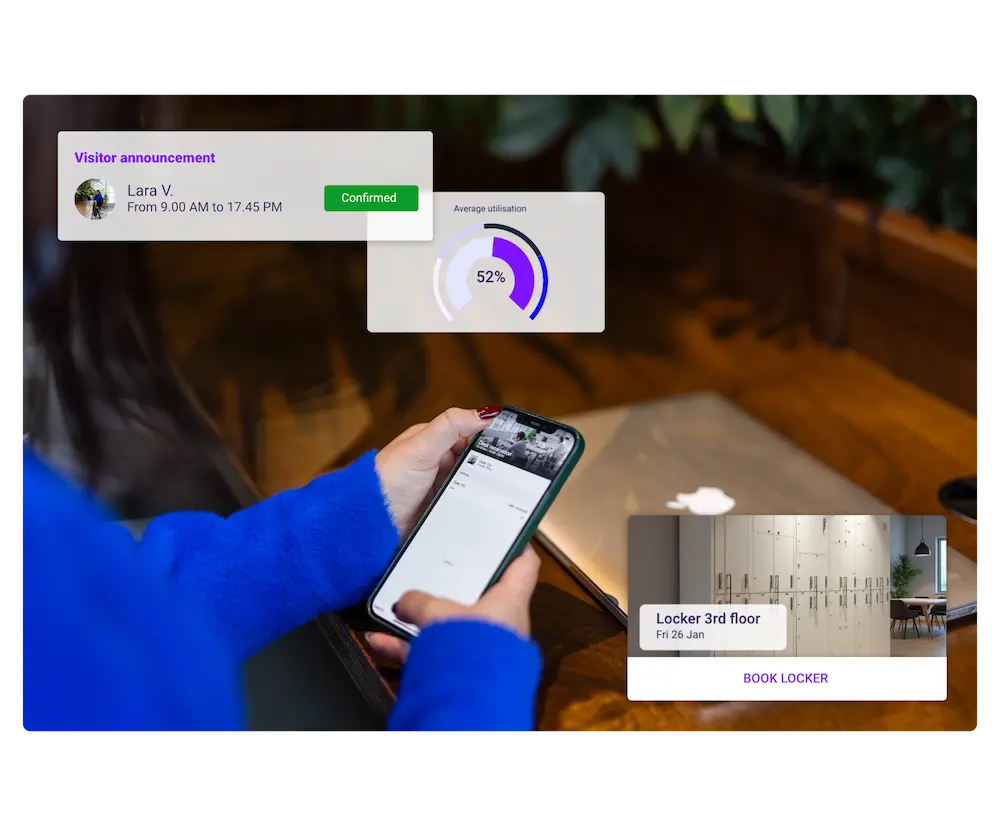
Office space is one of the highest fixed costs in any organisation’s budget — yet most workplaces operate at well below their potential. Global office utilisation reached just 53% in 2025, even as organisations set internal targets of 76–85%. That 20-plus-percentage-point gap represents wasted rent, energy and resources on a significant scale.
For facility managers, property managers and asset managers, closing that gap is a top priority. And increasingly, the tool making it possible is workspace management software.
This guide explains what workspace management software is, the core features to look for, the business case for investing in it, and how to choose the right platform for your portfolio.
What is workspace management software?
Workspace management software is a digital platform that enables organisations to plan, book, monitor and optimise the use of physical workspaces — including desks, meeting rooms, private offices, shared areas and entire floors or buildings.
At its core, the software connects three things that have traditionally existed in silos: space inventory (what you have), occupancy data (who is using it and when) and booking workflows (how people reserve it). When those three elements work together in a single system, facility managers gain a real-time, data-driven view of their entire estate.The market has grown rapidly. Valued at $2.64 billion in 2025, the workspace management software sector is projected to reach $10.30 billion by 2035 — a compound annual growth rate of 14.6%. The rise of hybrid working, increasing pressure on real estate costs, and a greater focus on sustainability have all accelerated adoption.
Core features of workspace management software
Not all platforms are equal. The most effective workspace management solutions share a common set of capabilities that directly address the challenges facility and property managers face every day.
Desk and meeting room booking
The foundation of any workspace management tool is the ability for employees to reserve desks, meeting rooms and collaborative spaces — either in advance or on the day. The best systems allow bookings directly from Microsoft Teams, Slack, a mobile app or a browser, reducing friction and driving adoption. Hot-desking and activity-based working models depend on this capability being seamless.
Interactive floor plans
Visual floor maps give employees and managers an instant view of available and occupied spaces. For facility managers, interactive floor plans are invaluable for space planning, identifying underutilised zones, and communicating proposed changes to leadership without needing specialist CAD software.
Real-time occupancy tracking
Sensor integrations, badge data and Wi-Fi signals feed live occupancy information into the platform. Managers can see at a glance which areas are busy, which are empty and whether bookings reflect actual usage. This prevents the twin problems of ‘ghost bookings’ (rooms reserved but unused) and overcrowding.
Space utilisation analytics
Dashboards and reports turn raw occupancy data into actionable insight. Metrics such as peak-hour occupancy, average desk utilisation, room booking ratios and cost-per-seat help facility managers build the business case for consolidations, refits or new space investments. These analytics are also increasingly used in sustainability reporting to track energy savings linked to space reduction.
Visitor management
A digital lobby module allows visitors to pre-register, receive arrival instructions and check in on arrival without requiring a staffed reception desk. This improves the visitor experience, meets compliance requirements around site access and reduces the administrative burden on facility teams.
Intergration with existing tools
The most adopted platforms connect with the tools your teams already use: Microsoft 365, Google Workspace, Slack, Teams, and identity providers such as Azure AD and Okta. Integrations reduce data duplication, sync calendar bookings automatically and make it easier to enforce access controls at scale.
Why facility and property managers need it now
The shift to hybrid working has made managing physical space significantly more complex. Attendance patterns are unpredictable. Demand varies by day, team and season. Fixed desk allocations waste money when employees are only in the office two or three days a week. And without data, decisions about space are made on gut feel rather than evidence.Workspace management software addresses these challenges directly. Here is what the evidence shows it delivers:
Cost reduction. By identifying genuinely underused floors or buildings, managers can consolidate leases, reduce energy consumption and cut cleaning and maintenance costs. Organisations that have right-sized their estate using utilisation data regularly report savings of 20–30% on occupancy costs.
Improved employee experience. When staff can easily find and book the space they need — whether a quiet desk, a collaboration room or a phone booth — satisfaction improves and time wasted searching for space is eliminated.
Stronger compliance and safety. Knowing exactly how many people are in a building at any time, and being able to enforce capacity limits, is critical for health, safety and emergency planning obligations.
Data to support strategic decisions. Whether you are negotiating lease renewals, planning a refurbishment or presenting a business case to the board, real utilisation data is far more persuasive than anecdotal evidence.
Sustainability and ESG reporting. Many organisations now include workplace energy use and space efficiency in their ESG disclosures. Workspace management software provides the occupancy and utilisation data these reports require.
Workspace management software vs. facility management software: What’s the difference?
These terms are sometimes used interchangeably, but they describe different (though related) categories of software.Facility management software (FMS) — sometimes called CAFM (Computer-Aided Facility Management) or IWMS (Integrated Workplace Management System) — covers the full operational lifecycle of a building: maintenance scheduling, asset tracking, compliance management, energy monitoring and contractor management. It is primarily an operational and maintenance tool.
Workspace management software, by contrast, focuses specifically on the human side of the workplace: who is using which space, when, and how efficiently. It is primarily a space-planning, booking and analytics tool.
In practice, many modern platforms blur this boundary. Some workspace management solutions include lightweight maintenance ticketing; some enterprise FMS platforms include desk-booking modules. For most facility and property managers, the choice will depend on whether their primary pain point is operational complexity (FMS) or space utilisation and hybrid work coordination (workspace management software).
How to choose the right workspace management software
With dozens of platforms available, it helps to evaluate options against a consistent framework. Here are the key criteria to apply.
1. Fit for your portfolio type
A coworking operator has different needs from a corporate real estate team managing a multi-site estate, which has different needs from a serviced office provider. Prioritise platforms that have a strong track record in your specific segment rather than generic tools that try to serve everyone.
2. Ease of adoption for end users
The most powerful workspace management software is worthless if employees do not use it. Look for platforms with intuitive mobile apps, calendar integrations that put booking where people already work, and minimal steps to complete a reservation. High adoption rates are the single biggest driver of ROI.
3. Quality and depth of analytics
Check that the platform provides not just raw occupancy numbers but meaningful dashboards: peak hours by zone, booking-to-attendance ratios, trend analysis over time, and exportable data for integration with your property management or BI tools. The analytics capability is what turns the software from a booking tool into a strategic asset.
4. Integration with your existing stack of tools
Before selecting any platform, map your current tech stack: HR systems, identity providers, calendar tools, access control systems and any IoT sensors already installed. A workspace management platform that integrates natively with your existing infrastructure will be faster to deploy and generate higher quality data.
5. Scalability and multi-site support
If you manage multiple buildings or plan to grow your portfolio, ensure the platform can support multiple locations within a single instance, with consolidated reporting across sites. Some solutions are designed for single-site use and cannot scale effectively.
6. Security and data compliance
Workspace management software collects sensitive data: who is in the building, when, and where. Ensure the platform meets the data residency requirements relevant to your jurisdiction (particularly GDPR for European portfolios), provides role-based access controls and has a robust data retention policy.
The future of workspace management software
The next generation of workspace management software is moving beyond reactive booking and reporting towards predictive intelligence. Several trends are shaping the category:
AI-driven space recommendations. Platforms are beginning to suggest optimal desk locations based on team proximity preferences, meeting schedules and historical patterns — reducing the cognitive load on employees and improving collaboration.
Dynamic capacity management. Rather than fixed desk-to-employee ratios, AI models will predict daily attendance and dynamically adjust available capacity, helping managers run leaner estates without the risk of overcrowding on peak days.
ESG integration. Workspace data will increasingly feed directly into carbon reporting frameworks, linking space reduction decisions to measurable emissions outcomes.
Deeper IoT connectivity. As smart building technology matures, workspace management platforms will integrate with lighting, HVAC, access control and energy management systems, creating a unified operational layer across the entire building.
Getting started: what to do next
If you are evaluating workspace management software for the first time, the most useful starting point is an honest audit of your current situation: How much space do you have? How much of it do you actually use? Where is the friction in the booking and visitor experience today?
From there, use the criteria in this guide to shortlist platforms that match your portfolio type, your integration requirements and your growth ambitions. Most vendors offer a demo or trial period — use it to test adoption with a real team rather than just reviewing feature lists.If you manage a coworking space, serviced office or corporate workspace and want to see how purpose-built workspace management software can transform your occupancy rates and operational efficiency,
Zapfloor is designed specifically for this market. Trusted across Europe, Zapfloor combines intuitive booking, real-time analytics and a digital lobby into a single platform built for property and facility managers who need results, not complexity.
Conclusion
Workspace management software has moved from a ‘nice to have’ to a core operational tool for any organisation managing physical space in the hybrid era. By bringing bookings, occupancy data and analytics together in a single platform, it gives facility and property managers the visibility they need to cut costs, improve the employee experience and make evidence-based decisions about their estate.With the market set to nearly quadruple over the next decade, the organisations that invest in the right platform now will be better positioned to manage the demands of a workforce that expects flexibility — and a board that expects efficiency.
Ready to optimise your workspace? Get in touch with our team via
zapfloor.com to learn more.